 Wheel of
 How to Make a VTuber Stream Schedule (Free, in 5 Minutes)
A weekly schedule cover tells viewers exactly when to find you, makes your profile look professional, and gives you something worth posting every week. Here is the whole process — in your browser, free, no watermark, no Photoshop.
Open the free schedule maker →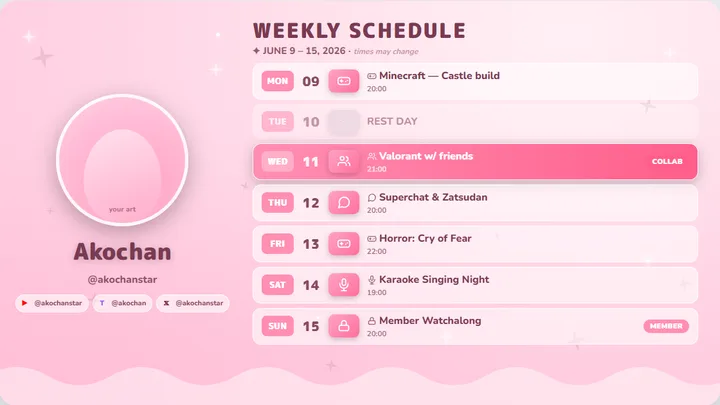
The 6 steps
- Open the schedule maker. Go to the free stream schedule maker. It runs in your browser — nothing to install, no sign-up needed.
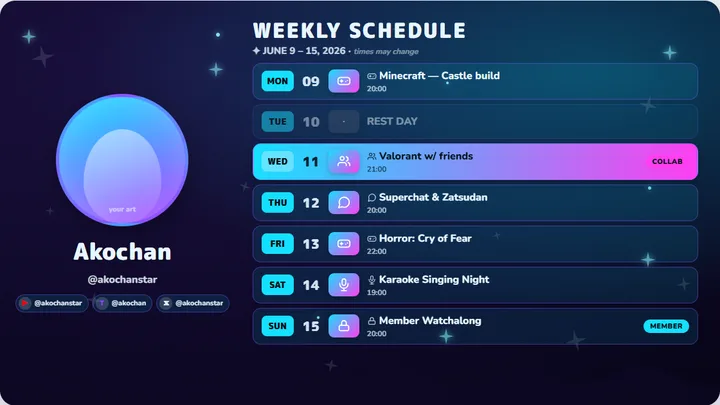
- Pick a template. Choose one of the 16 ready-made themes — from soft sakura pink to neon cyberpunk. Click one and it loads into the editor.
- Fill in your week. Type each day's stream title and time, mark off-days (you can write your own rest-day text), and tag sessions like collab, karaoke, or members-only.
- Add your art. Upload your avatar, full character art, and an optional logo. Drag each one right on the preview to position it exactly how you like.
- Style it. Switch between 10 layouts, tweak fonts and colours, and add decoration icons — the live preview updates instantly.
- Download the right size. Export as PNG in 16:9 for Twitter/X and YouTube, 1:1 for Instagram feed, or 9:16 for Stories and TikTok. Then hit "Share on X" to post it with the image attached.
Tips that make a schedule actually work
- Same slot, every week. Consistency beats reach — viewers build a habit around your schedule, so keep your core days stable.
- Pin it everywhere. Pin the cover to your X profile, add it to your Twitch panels and YouTube community tab.
- Reuse it weekly. Sign in with Google and save your design — next week you only change the titles and dates, not the whole layout.
- Post the right crop per platform. A 16:9 cover gets cut off on Instagram; export 1:1 or 9:16 instead of letting the app crop for you.
Frequently asked questions
Is this really free?
Yes — the maker, all 16 templates, and every export size are free, with no watermark and no sign-up. Signing in (optional) just lets you save designs and reuse them every week.
Do I need Photoshop or Canva?
No. Everything runs in your browser: pick a template, type your week, download the PNG.
Which size should I post where?
16:9 for Twitter/X posts and YouTube banners/community, 1:1 for Instagram feed, 9:16 for Instagram/TikTok Stories. The maker exports all three.
Can I edit the same schedule next week?
Yes. Sign in with Google and save it — load it next week, update the titles and dates, and download again. Your images stay attached.
Related
- Stream schedule maker — the free tool this guide uses.
- Stream schedule templates — 16 ready-made themes, click to use.
- Add a spin wheel to OBS — chat-triggered wheel with
!spin. - Twitch donation wheel — auto-spin a wheel or gachapon on every tip.